









 Which American 2000s TV Series Are You?
 The Perpetual Student Syndrome: When Self-Development Becomes a New Form of Procrastination
 Test: Who Were You in a Past Life?
 Your Mythological Totem: Take the Test and Find Out Which Ancient Creature Protects You?
 Adulthood Test: Find Out How Old You Really Are
 Empathy Check. How Well Developed Is Your Emotional Intelligence?

 English
 Русский
 Deutsch
 Español
AI as a “Study Coach” for Your Brain: How to Learn Faster and More Effectively with ChatGPT
If you study alongside work, switch to a new profession, or simply try to stay afloat in a world where knowledge is always scarce and trends are too many, you’ve probably caught yourself thinking: it’s not so hard to find a course as it is to find the strength to finish it.
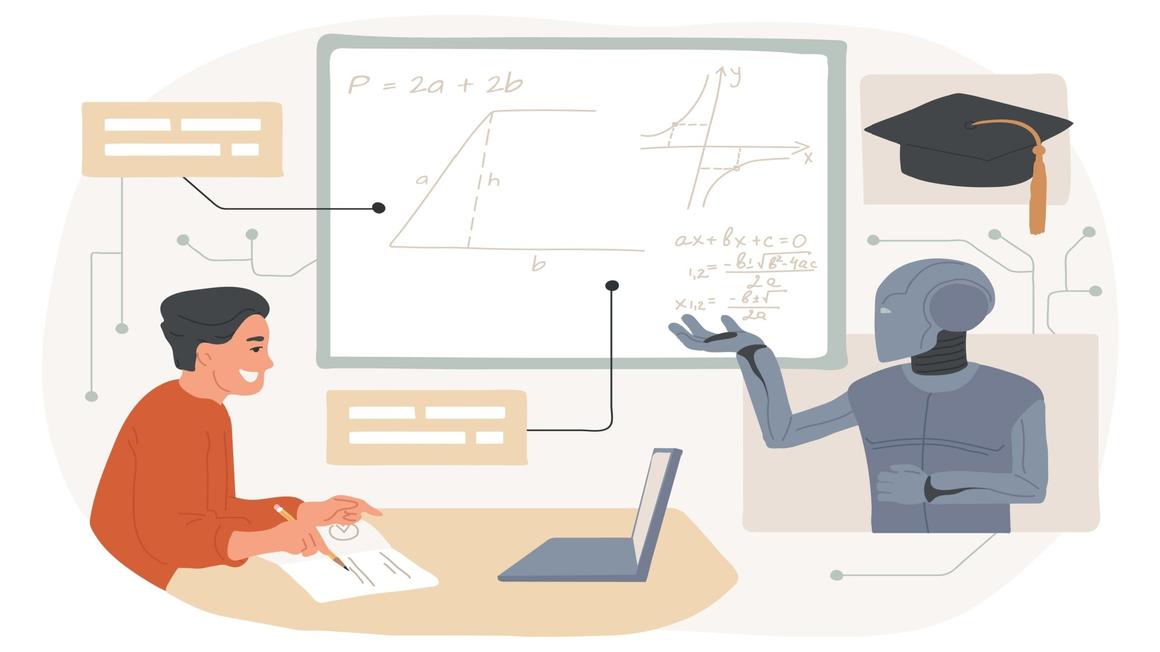
It seems like the materials are always available and within reach, motivational videos have been watched from start to finish, plans have been made - but at some point the brain stalls. You open a lesson and realize you're getting stuck in the feed, rereading the same paragraph several times, or suddenly there are tasks that are "more important."
That's where AI enters the game. Not as a magic pill and not as a "teacher who will do everything for you," but as a tool that can solve practically any problems that arise during learning. It can do what usually costs a person a lot of energy: structure things, suggest the next step, turn a vague task into a concrete plan, explain the complex in simple words, generate practice questions, and gently bring your attention back to the goal during episodes of procrastination. That's exactly why more and more people use ChatGPT and similar models to support the educational process. The main thing is to do it correctly and not forget about caution! So that you get maximum benefit for your learning without any harm, we prepared a guide.
Why ChatGPT Specifically and How It Can Help
ChatGPT is good as a study coach precisely because it doesn't just close content gaps (a good course can handle that too), but helps organize the process and remove functional barriers on the way to results. For example, courses provide a program and materials, but they don't always provide what a person needs between all of that: a hint on where to start, how not to quit, how to adapt the pace, how to check yourself, how not to drown in theory. Ideally a mentor does that, but a mentor costs money and also isn't always available. ChatGPT works here as an alternative: it's always nearby, literally around the clock, absolutely free, and it adapts to you.
ChatGPT as a study coach is indispensable if you:
-
want to learn faster, because time is limited and it's important to cut the unnecessary, focusing on just one thing;
-
study in "bursts" and want to turn that into a rhythm you can realistically sustain over a long time;
-
are afraid of mistakes and feel insecure during learning (here ChatGPT can serve as a safe simulator);
-
lose focus when the task is too big, and it's easier for you to break complex processes into steps;
-
want practice and feedback, but there's no person nearby who will drill you with assignments.
In short, ChatGPT is not a panacea and definitely not a replacement for educational courses (we'll talk about why and what the risks are below). It's exactly a coach that helps you stay on course without spilling your attention and motivation on unnecessary things.
Everything depends on how exactly you formulate your prompts. If you ask "explain the topic," you'll get an explanation. If you ask "check whether I understood," you'll get training. If you ask "don't do it for me, but guide me," you'll get learning, not a ready-made answer. However, it's important to observe all the nuances and not tell the AI anything extra - that is, to control it and set boundaries. How?
How to Talk to a ChatGPT Coach: Prompt Templates for Different Situations

Below is a set of scenarios for different cases and different areas: evening study, a career change, interview prep, English, exams, procrastination, overload, a "from scratch" project. In each point there are several ready-made prompts that you can also edit and adapt to yourself.
1. You Want a Plan That Can Withstand Your "Imperfect" Schedule
- Option 1 (a plan with free buffers):
"I'm studying ___, I have ___ hours per week. Make a 4-week plan with buffers for slip-ups and schedule deviations and with 2 rest days. Specify exactly what to do in each 30-40-minute session."
- Option 2 (a plan by energy level):
"Make a study plan taking into account that I have low energy on weekdays. Split tasks into 'light' and 'heavy' and propose a schedule."
- Option 3 (a plan with checkpoints):
"Make a 6-week plan and add checkpoints: what I should be able to do by the end of each week. If I'm behind - how to rebuild the plan without guilt."
Tip: always add constraints (time, level, goal, and format). The more honest the constraints, the more realistic the plan.
Important! If you know a learning technique or system that suits you, you can ask the AI to act and build your schedule strictly within it. Or you can describe in detail what you definitely want to see in its plan, test, or result. For example: "Stick to the 70-80% rule: distribute my workload so that I complete at least 70-80% even in normal life, not only in an ideal scenario," or "Make a plan for next week with an emphasis on review and consolidation of what I've covered."
2. You're Stuck or Don't Understand What to Start with Right Now
- Option 1 (help with the next step):
"I'm stuck on ___ and don't know what to tackle. Ask 5 clarifying questions and suggest the single smallest next step that takes 10 minutes."
- Option 2 (breaking down the task):
"Break this task into micro-steps so that the first step takes no more than 5 minutes."
- Option 3 (asking for hints):
"Don't solve it for me. Give only the first hint and ask me to try when I send a task I can't handle. Then give the next hint if I still can't do it."
Important! In a "stuck" moment, what almost always gets in the way is not the difficulty of the topic, but the vagueness of the task. So the more honestly you describe where exactly you freeze up, the more precisely the help will work. You can write directly: "I don't understand where to start," "I understand the theory but don't know how to apply it," "I'm blocked because I'm afraid of making a mistake." The "two-minute rule" also works well: ask the AI to propose an action that takes under 2 minutes (open a file, write down terms, formulate a question, sketch a solution plan). This breaks inertia and returns the feeling that the task is actually controllable. And a separate lifehack: ask not for one "next step," but for three options - for 2 minutes, for 10 minutes, and for 30 minutes. Then you can choose a step based on your energy, not on an ideal mood.
3. You're Learning a New Topic and Want to Go Deeper Because You're Not Sure You Understood Correctly
- Option 1 (explanation + check):
"Explain ___ at a beginner level. Then ask 7 checking questions. If I answer incorrectly, explain where the mistake is and give an analogy."
- Option 2 (explanation in several ways):
"Explain ___ in three ways: an everyday analogy, an explanation for a colleague, a short 'like in an interview' explanation."
- Option 3 (practice check):
"Give 3 practical cases where ___ is applied and ask me to choose a solution."
Important! The most common mistake with ChatGPT in learning is to ask "explain" and stop there. The explanation can sound smooth, but understanding appears only where you yourself formulate the thought and apply it. That's why it's useful to ask the AI to work in a "teacher-examiner" mode: first a short explanation, then questions, then a practical mini-task, then an analysis of the mistake. Another technique is to ask the model to compare two similar concepts and show where people confuse them: "Explain the difference between X and Y and give 3 examples of where each is appropriate." And if you're learning for work, add context: "Explain it the way it's used in product/marketing/analytics." Then you won't just "understand the topic," you'll start seeing it in living cases.
4. You're Preparing for an Exam/Certification and Need Drilling
- Option 1 (mini-exam):
"Create a practice exam of 25 questions on the topic ___. Answer choices + explanations. After I answer, grade me and propose a review plan for my weak points."
- Option 2 (spaced repetition):
"Make a set of flashcards on the topic ___ and propose a repetition schedule for a week."
- Option 3 (targeted review):
"I get confused about ___. Create 10 exercises only on this and an analysis of typical mistakes."
Important! The closer the training format is to the exam format, the higher the result. Ask for tasks "like in the real test." Also, you can send the AI your study materials you used so it can rely on them when creating tests and checks.
5. You Need to Learn a Language, but Without Boring Rote Memorization
- Option 1 (a dialogue for a situation):
"Let's practice English for work. You're my foreign colleague. Topic: project status. Correct my mistakes gently and explain why it's done that way."
- Option 2 (pattern-based errors):
"I will send a text in English. Correct it, but don't rewrite it completely. Mark the 5 most frequent mistakes and give exercises for them."
- Option 3 (a profession-based vocabulary set):
"Make a list of 40 words and expressions for ___ (for example, product management). For each, give an example in a dialogue and a mini-exercise."
Important! Language is learned best not through word lists, but through repeating scenarios you actually have in real life. So ask ChatGPT to build sessions around your tasks: messaging a colleague, a call, a presentation, small talk, a client email, discussing deadlines. This way you automatically train vocabulary and grammar in the right context. It's also useful to agree on a correction mode: for some people it's comfortable when mistakes are corrected immediately, while others prefer at the end, as a list of "3 main mistakes + how to fix them." And обязательно ask the model to track your level: "Speak to me at A2/B1 and gradually make it harder," otherwise it may drift into too complex vocabulary and you'll be learning to endure pain rather than to speak. If you want quick progress, add a routine: 5 minutes of dialogue + 5 minutes of "error analysis" every day. It's boring only for the first three days, then the brain starts expecting the habit.
6. You Procrastinate Because It's Scary or There's Too Much of Everything
- Option 1 (diagnosing the obstacle):
"I'm postponing studying. Help me understand why: fear of mistakes, overload, unclear goal, or tiredness. Ask 7 questions and propose 3 micro-steps for 10 minutes."
- Option 2 ("25 minutes" mode):
"Make me a plan for one Pomodoro (25 minutes) on the topic ___. I want to end with a small result that can be measured."
- Option 3 (coming back after a slip or pause):
"I dropped out of learning for two weeks. Help me return gently: propose a 3-day plan without overload and a way to track progress."
Important! Procrastination rarely truly means "I'm lazy." More often it's a protective reaction to overload or fear: too high a bar, too vague a goal, too big a step that looks dangerous. That's why prompts like "motivate me" almost never work. It's better to ask the AI to lower the stakes: make the task smaller, safer, more concrete. For example: "Propose a first step so that I can't make a mistake," or "Propose an option where I can get a result in 15 minutes." A "plan B" also helps: ask in advance for a "simplified mode for a bad day," so on tired days you don't drop out completely, but do at least the minimum (10 minutes of review, one test question, one micro-step on the project). And yes, it's normal to tell the model directly: "I'm anxious right now, don't push, make a gentle plan." If you set the tone, it will adapt.
Lectera’s Online Courses by topic
Tips and Risks: How Not to Make Mistakes When Learning with ChatGPT

Despite the effectiveness of such a "coach," it has features that are easy to forget, especially when it answers so confidently and conveniently. Below is a short set of rules and risks you need to keep in mind! Also, you can simply choose one of the courses in Lectera's catalog, which are already built so that you can build real skills by studying in breaks between work in just 20-25 minutes a day. They also include skill practice through situational tests and cases (like the ones you can request from AI, only developed by international experts), glossaries, and everything that may come in handy during learning.
- Check yourself: explanation is not equal to understanding.
The most common learning trap with AI is to read a smooth explanation and decide that the topic is mastered. But understanding shows up only in application: when you solve a task, formulate it in your own words, make mistakes, and correct them. Therefore, after any explanation, immediately ask for a check: 5-7 questions, a mini-case, or a short "transfer" task (apply the idea in a new situation). This quickly shows where you truly understood and where you only "recognized words."
- Re-check facts: no one guarantees the absence of hallucinations.
Even strong models sometimes "hallucinate," meaning they invent non-existent facts, links, or details so that the answer looks coherent and better matches your prompt or the content you sent. The danger is that it can sound confident and plausible. Therefore, anything that looks like a fact (dates, definitions, numbers, rules, tool nuances) is better either checked against sources or you should ask the chat for a caution mode: "Indicate where you are not sure and suggest where to verify it," "Give alternative versions," "List controversial points." Be especially careful with topics where a mistake is expensive: law, medicine, finance, and fast-changing software.
- Protect your data and work cases.
In career learning it's easy to start bringing real materials into the chat: internal documents, client numbers, correspondence, details of conflicts in the team. This can violate agreements and security rules. If you want to analyze work situations, anonymize them: remove names and brands, replace exact numbers with ranges, and describe the case as anonymous. This way you keep the benefit of the analysis without creating extra risks for yourself and your company.
- Limit the chat's motivational function.
Sometimes AI starts "coaching" too broadly: support, inspiration, abstract lists. Readers know this feeling: it seems pleasant, but there's no result. A clear technical brief built on our templates saves you! If needed, ask again and say you don't need support - you need a stricter and more meticulous teacher.
- Watch how well the AI matches your goals and program.
If you're studying by a specific course, it surely has its own logic, terminology, and sequence. ChatGPT may explain differently and take you into side branches, and you start getting confused: "in the lecture it's like this, in the chat it's different." Therefore, when studying a program, it's better to fix an anchor: "Rely on this outline/textbook, don't introduce new terms without necessity; if there are different definitions, show both and say which one my course uses." Just send the AI your study materials or current notes, as we advised above, so it relies on them. This will reduce possible "chaos."
Undoubtedly, ChatGPT can become an excellent study coach for you if you use it not as a "magic button," but as a training partner: ask it to adapt to your level, check not just your memory but your understanding of the topic, give tasks, and guide you with step-by-step hints without giving a ready solution. Then it will truly save you time and help you keep rhythm, especially when you have to combine learning with work and constantly face overload. By the way, with the Lectera course "Education as a Skill." you will master techniques of self-diagnosis and organizing your learning process, which will allow you to set educational goals and achieve them absolutely independently, even without the help of bots!
Share this with your friends via:
Latest News

Fall 2026 promises to be an eventful season for education worldwide.

Tickets for WE Convention 2026 are now available - with 25% off for EARLY BIRDS!

The private school Alpha School, which has opened campuses from New York to California, uses AI bots to teach children academic subjects for just two hours a day. The school has no traditional teachers, no homework, and tuition reaches $65,000 per year.

UK Prime Minister Keir Starmer has announced a major public-private partnership in the field of artificial intelligence. Google, Microsoft, Amazon and NVIDIA, together with the government, are launching an AI skills training programme for 7.5 million British workers.

International educational programmes provider Study Group has announced a change of ownership. The company has been acquired by Arete Education – an investment structure in the higher education sector created by Global University Systems (GUS) and US private investment firm Brightstar Capital Partners.
